
WILNCOM TECH
Home › PPPoE billing

PPPoE billing for home and business internet

Stop switching customers on and off by hand. WILNCOM reminds them before expiry, takes their M-Pesa payment from a link, and turns their PPPoE account back on by itself.

PPPoE billing

What you get

  • Monthly plans with your own speeds and prices
  • Accounts switch off on expiry and on again when paid
  • WhatsApp and email reminders with a renew link
  • Customers pay without logging in, straight from the link
  • A customer wallet so renewals can pay themselves
  • Fair use limits to slow down heavy users
  • Several MikroTik routers in one dashboard

Start for KES 700, including your first 30 days, then KES 1,200 every 30 days per ISP. See pricing
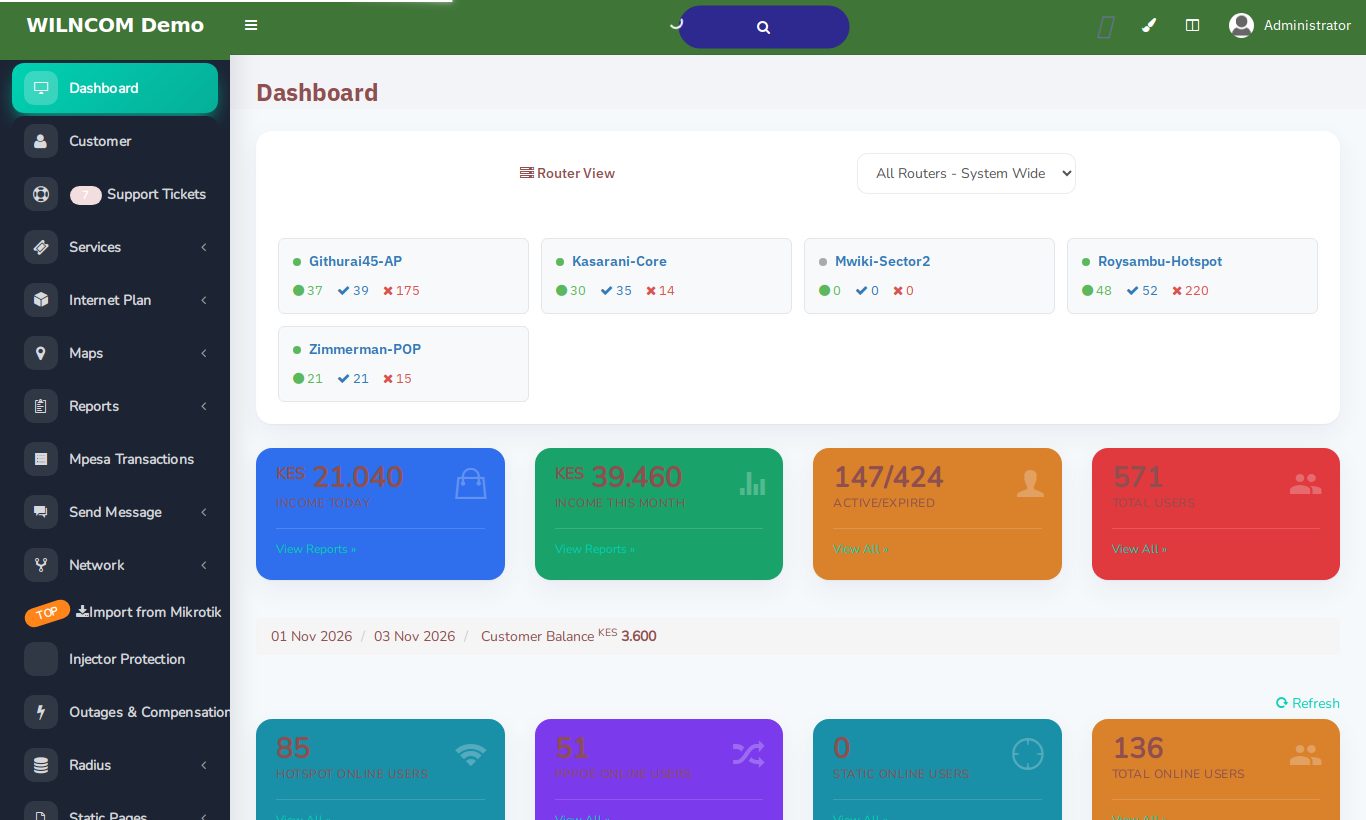
WILNCOM dashboard with active and expired customers per router

How PPPoE billing works with WILNCOM

You create PPPoE plans with your speeds and prices, and add customers to a MikroTik. WILNCOM creates their PPPoE login on the router. Before the month ends, the customer gets a WhatsApp reminder with a renew link. They pay by M-Pesa without logging in, and their account stays on. If they do not pay, it switches off on the due date, and back on the moment they do.

Questions

PPPoE billing: common questions

What happens when a PPPoE customer does not pay?

Their account switches off on the due date. As soon as they pay by M-Pesa, it switches back on automatically.

Can customers pay without logging in?

Yes. The reminder includes a renew link. They choose a plan and pay by M-Pesa, with no password needed.

Can I bring my existing PPPoE customers?

Yes. You can import them from your MikroTik, and we can help you move across.

Ready to run your ISP the easy way?

Sign up in minutes, or try the live demo first. We answer on WhatsApp.

Demo login: username admin, password admin